


Trace Teams
4.974.00 Reviews
App Specs
- Version
- 3.2.1
- Updated On
- License
- Free
- Downloads
- 10,000+
- Developer
- AlpineReplay
- Categories
- Sports
- Platform
- Android
Screenshots
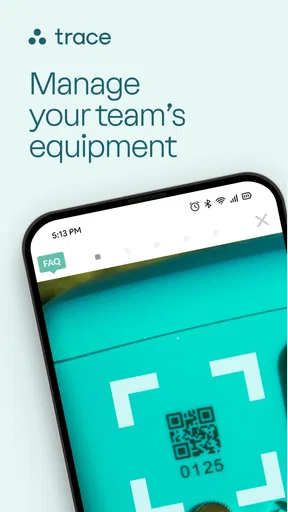

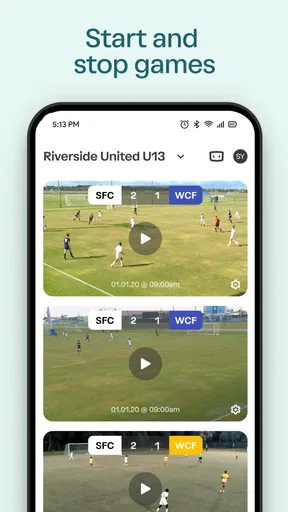
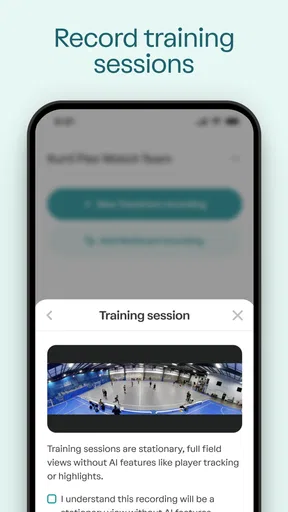
 Analysis by AppCompare
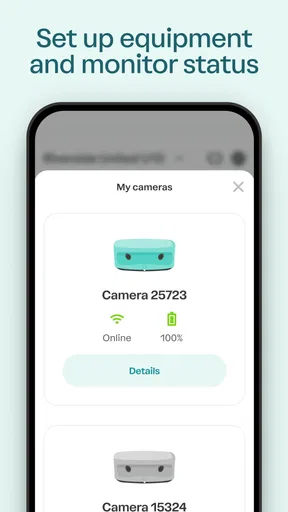
I approached Trace Teams as a practical sports companion rather than a general video app. Its purpose is closely tied to the Trace ecosystem: it helps manage a Trace TraceCam, organize the case and equipment around it, handle video uploads, and keep rosters in order. That focus immediately makes it more interesting for organized groups than for someone who simply wants to record an occasional run with a phone.
My first impression is that this is an app built around reducing the small bits of administration that appear before and after a day on the mountain. The camera is only one part of the process. Someone needs to know which equipment belongs to whom, which people are participating, and where the resulting clips should go. Trace Teams brings those jobs into one sports-oriented workspace instead of leaving them scattered across a camera app, a messaging thread, and a collection of manually named videos.
How the app fits into a Trace setup
The developer is AlpineReplay, and the app sits in the sports category. It is free to use, carries an Everyone content rating, and the current release is version 3.1.18. Those details matter because this is not presented as a premium editing suite or a paid coaching platform. Its value is tied to how well it supports people already using Trace equipment and workflows.
The store positioning makes the role clear: this is where you manage a Trace TraceCam, its case, video uploads, and rosters. I would not install it expecting a broad library of training plans, a social feed, or a replacement for a full video editor. The useful question is narrower: does it make Trace-related team administration easier? For the right user, that narrower purpose is a strength.
In everyday use, I would think of the app as the control point for a shared activity. A family heading to the slopes, a group of friends, or an organized team can prepare the people and equipment before recording begins. Afterward, the upload side gives the captured material a place in the same workflow. That continuity is more valuable than it sounds, especially when several people are using the same camera or when a day produces more clips than anyone wants to sort manually.
What free access means here
There is no purchase price attached to the app itself, so the initial decision is straightforward: anyone interested can try it without paying for the download. That makes experimentation easier, particularly if you already own or have access to a Trace TraceCam. It also means the app can be judged by its practical fit before it becomes part of a regular routine.
I would still separate free access from free equipment or free services. The app being free does not, by itself, tell me that a Trace camera, case, upload process, or any related service costs nothing. Those are separate parts of the overall setup. The sensible approach is to treat the application as the management layer and evaluate the rest of the Trace arrangement on its own terms.
Worth Reading Before You Choose

Baby Panda World Brings Quick Play to Modern Phones, but Its Game Library Feels Busy

ESPN’s Live Game View Makes Following Close Games Easier

QuizzLand Review: A Good Fit for Short Trivia Breaks, Not Every Player

Basketball Stars: Multiplayer Is Fast, but Can It Recover When Matches Go Wrong?

WEBTOON Turns Phone Updates Into a Better Reading Routine

Link to Windows Runs on Shared Habits, Not Social Feeds
That distinction protects users from a common misunderstanding. A free companion app can be useful while still depending on hardware or an existing account-based workflow. If you are comparing the complete cost of recording your sports sessions, include the camera and whatever equipment you need, rather than assuming the app’s price describes the whole experience.
Managing equipment without losing track of people
The case and roster functions are the less obvious part of the appeal. Video recording is easy to understand, but shared equipment creates practical problems: who has the camera, which case is being used, and which participants should be associated with the session? A roster gives the group a more deliberate way to organize those details.
My advice would be to set up the roster before arriving at the activity. Doing it while everyone is waiting in cold weather or preparing to start is exactly when small mistakes happen. Names can be checked calmly at home, and the camera or case can be assigned as part of the same preparation routine. That turns the app from a reactive tool into a checklist for the day.
This is particularly useful for a parent managing several children. Instead of relying on memory to connect a camera session with the right participant, the family can prepare the roster in advance and use the app as the reference point. It will not remove every step from the process, but it can reduce the chance that a good run later becomes an unidentified video file.
A team organizer gets a different benefit. When equipment moves between people, the roster and case information can provide a shared structure for handoffs. The app is not just about recording the action; it helps define who is part of the activity and what equipment is involved. That is a modest feature set, but it targets a real source of friction in group sports.
Uploads are part of the experience, not an afterthought
Video uploads deserve careful attention because they can become the slowest part of any camera workflow. A person may capture excellent footage and still dislike the system if moving that footage to the right place is confusing. Trace Teams puts uploads inside the same environment as camera and roster management, which should make the transition from recording to reviewing more coherent.
I would plan uploads rather than treating them as something to start automatically at the busiest moment. After a session, connect to a reliable network when possible, check that the correct people are associated with the activity, and then let the upload process run. This is a practical habit, not a glamorous feature, but it can prevent a group from trying to transfer everything while packing equipment or driving home.
Another useful workflow is to separate capture from administration. During the activity, focus on skiing or riding and avoid repeatedly opening the app just to check progress. Once the group is finished, use a short review routine: confirm the case and roster details, begin the uploads, and check that the process has started. That approach makes the app less intrusive and gives the footage a better chance of staying organized.
The trade-off is that an upload-centered workflow depends on patience and sensible connectivity. If you want instant editing, quick social sharing, or complete control over individual video files, a standard camera app and a dedicated editor may feel faster. Trace Teams is more compelling when you value a connected record of equipment, participants, and uploads over rapid one-off publishing.
Where it beats the usual alternatives
The usual alternative is to use the camera’s own companion application, store clips in a phone gallery, and coordinate participants through messages. That arrangement can work for one person, especially when there is only one camera and no need to maintain a roster. It becomes less comfortable when several people share the equipment or when videos need to be associated with a group.
Trace Teams has an advantage because its features are shaped around the Trace workflow rather than general-purpose file storage. A gallery can hold videos, but it does not naturally explain which case was used or which roster belongs to a session. A messaging app can contain names and instructions, but it is not an ideal place to manage uploads. Bringing those jobs together is the main reason to choose this app over a collection of familiar alternatives.
On the other hand, general tools are often more flexible. A phone camera does not require a specialized sports ecosystem, and a cloud drive can be used for almost any video source. If your priority is maximum compatibility, manual folder control, or editing footage from multiple brands, Trace Teams may feel too focused. Its strength comes from commitment to Trace, and that same commitment limits its usefulness outside that setup.
I also would not confuse team management with advanced coaching analysis. The app’s verified role is handling the Trace camera, case, uploads, and rosters. If your main goal is detailed performance metrics, structured training feedback, or professional editing, look for tools designed specifically for those tasks. Trace Teams can support the surrounding workflow, but it should not be judged as though it were a different kind of product.
Small habits that make the workflow smoother
One of the best habits is to prepare the roster before the equipment leaves home. This avoids entering names during a rushed handoff and gives the organizer a chance to notice missing participants. It is a simple step, but it is exactly the sort of preparation that makes a management app worthwhile.
A second habit is to treat the case as part of the inventory, not merely as packaging. If the camera and case are moving among family members or teammates, recording that relationship consistently can make the return and handoff process easier. The case may seem unimportant during the excitement of a session, yet it becomes useful when several pieces of equipment are being packed together.
Third, create an upload checkpoint after the activity. I would not assume that capturing footage means the organizational work is complete. Before leaving the venue, or once back on a dependable connection, verify the roster and start the upload process deliberately. This reduces the risk of discovering later that the material is still waiting on an unfinished step.
Finally, keep the app’s role clear to everyone involved. A team member who expects it to behave like a full editor may be disappointed, while someone who understands it as a Trace management tool will likely find the narrower design easier to appreciate. Setting that expectation is especially important when one person organizes the equipment and another person wants to review the video.
Who is likely to get the most value
I see the strongest fit for families, clubs, instructors, and friend groups that share Trace equipment or regularly record multiple participants. These users benefit from the combination of rosters and equipment handling, because their problem is not simply “how do I film?” It is “how do I keep the filming process attached to the right people and gear?”
It can also suit a regular individual user who wants a consistent Trace workflow and prefers not to piece together several unrelated apps. Even without a large team, keeping camera management and uploads in one place may be more comfortable than switching between tools. The benefit is organizational clarity rather than a dramatic expansion of what the camera can physically record.
The app is less convincing for someone who does not use Trace hardware, has no need for rosters, or only records occasional clips on a phone. In that situation, the specialized functions may add more setup than value. A normal gallery and a familiar sharing service could be simpler, particularly if the user wants to edit immediately or share footage with people who are not part of a Trace-based workflow.
It is also not my first recommendation for a production-minded creator. If you need broad camera compatibility, detailed file management, color work, or a large collection of editing controls, a dedicated video application is the better choice. Trace Teams is designed around coordination and transfer, not around turning raw footage into a finished film.
What the community response suggests
The app has an average rating of 4.8 from around 479 ratings, with over 74 written reviews and more than 10 thousand installs. Those figures suggest that the people who find the intended workflow useful are responding positively. I read that as a sign of good product-market fit within its focused audience, not as proof that every sports fan will enjoy it.
A specialized app can earn strong feedback precisely because it solves a specific problem well. That does not make its scope wider. Someone who needs Trace camera and roster management may find the focus refreshing, while someone searching for a universal sports recorder may see the same focus as a limitation.
My verdict for a real day on the slopes
Imagine a family arriving for a day of skiing with one Trace camera and several people hoping to be recorded. Before leaving, the organizer prepares the roster. At the venue, the camera and case are handled as shared equipment rather than as an anonymous gadget. After the runs, the organizer checks the participants and starts the video uploads when the connection is suitable. That is where Trace Teams makes sense: it gives the day a repeatable beginning, middle, and end.
In that scenario, the free app delivers value through reduced confusion. It does not need to replace every other tool. It only needs to make the Trace-specific tasks easier to coordinate than a mixture of memory, chat messages, and manually sorted files. For a group that records often, that convenience can justify keeping a dedicated app on the phone.
My balanced recommendation is to try it if you already rely on a Trace TraceCam and need to manage people or shared equipment around it. The absence of an app purchase price makes that trial relatively easy, while the focused design gives it a clear job. Just remember that the complete cost and usefulness of the setup depend on the wider Trace arrangement, not on the free download alone.
I would skip it if you want a general-purpose camera manager, a powerful editor, or a tool that works independently of Trace equipment. In those cases, a broader alternative will probably involve fewer assumptions. For its intended audience, though, Trace Teams is a sensible coordination layer: specialized, practical, and most valuable when the recording day includes more than one person and more than one piece of equipment.
Pros
- Clear team communication through organized chats and shared updates.
- Useful for coordinating tasks
- schedules
- and team responsibilities.
- Supports quick access to important team information in one place.
- Can reduce reliance on scattered emails and messaging apps.
- Suitable for both small groups and larger team workflows.
Cons
- Some features may require a paid plan or organizational subscription.
- New users may need time to learn the app’s layout and tools.
- Notifications can become distracting when several teams are active.
- Performance may depend on a stable internet connection.
- Limited usefulness if teammates do not consistently use the platform.
FAQs for Trace Teams
What is Trace Teams and what can I use it for?
Trace Teams is a team coordination and communication app designed to help groups organize work, share updates, and keep track of ongoing activities in one place. It can be useful for companies, project groups, field teams, clubs, or other organizations that need clearer communication. Before downloading, users should confirm that its available features match their team’s workflow and collaboration requirements.
Is Trace Teams free to download and use?
Trace Teams may be available to download at no initial cost, but the exact pricing model can depend on the platform, account type, or features selected. Some tools may require a subscription, an organization invitation, or a paid plan. It is worth checking the current listing and in-app pricing before creating an account, especially if you need advanced team management or reporting features.
Does Trace Teams work on both Android and iOS devices?
Trace Teams is intended for mobile team use, but compatibility can vary according to the device, operating system version, and the app release available in your region. Check the Google Play Store or Apple App Store listing before installing to confirm supported versions. Users should also make sure their phone has sufficient storage and a stable internet connection for reliable synchronization.
Does Trace Teams require an account or an invitation from a team administrator?
Most team-focused applications require users to sign in and join a workspace, organization, or specific team before they can access shared information. Trace Teams may therefore require registration, an invitation, or administrator approval rather than functioning as a completely independent app. If you are downloading it for work or a group project, ask the team administrator about the correct sign-in process beforehand.
What privacy and permissions should I consider before using Trace Teams?
Because Trace Teams is built around team communication and coordination, it may request permissions related to notifications, internet access, storage, camera, location, or other device functions depending on the features you use. Review the permissions shown during installation and read the app’s privacy policy. Avoid sharing sensitive personal or business information until you understand how data is collected, stored, and shared.


